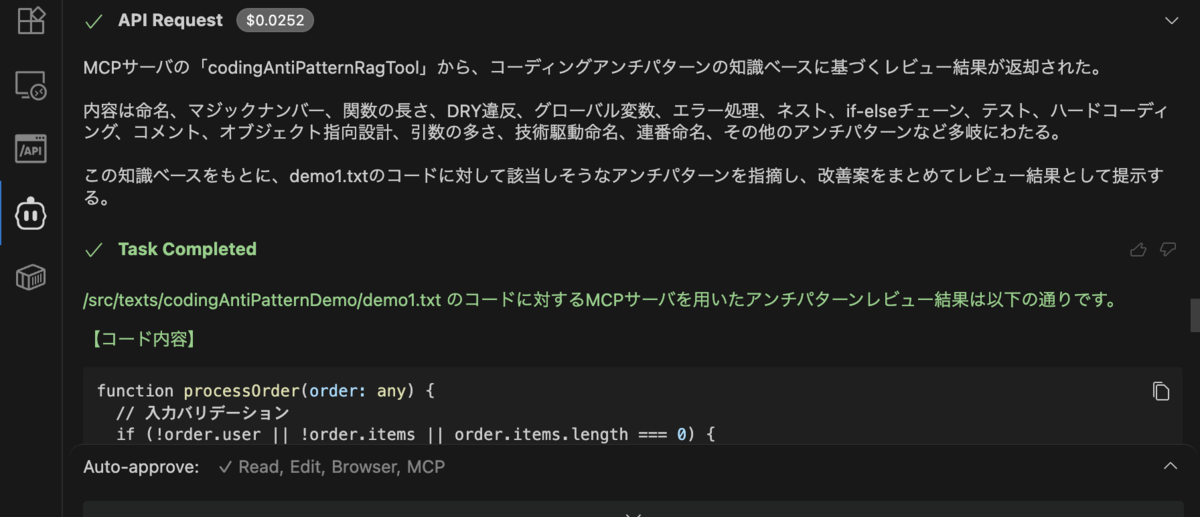
TypeScript製AIエージェントフレームワークMastraを使ってコーディング、データベース設計のアンチパターンを検知するMCPサーバを実装してみました。
実装したもの
- MastraサーバとRAGのベクトルデータベースとして使用するPostgresqlをローカルで起動するdocker compose
- コーディングとテーブル設計のアンチパターンをまとめたテキストファイル
- テキストファイルの内容をベクトル化してPostgresqlに登録するTypeScript製スクリプト
- ベクトルデータベースから情報を取得するMCP Tool
- 上記Toolを使ったMCPサーバのエンドポイント
docker compose
MastraサーバからRAG技術を使うためにテキストファイルをスクリプトでAIモデルが処理できる形に変換して任意のデータベースに登録する必要があります。
そのためMastraのサーバと合わせてPostgresqlのコンテナを起動するcompose.ymlを用意します。
version: '3.8'

services:
  mastra:
    build:
      context: .
      dockerfile: docker/mastra/Dockerfile
    image: mastra-mcp
    container_name: mastra-mcp
    ports:
      - '4111:4111'
    environment:
      # コンテナ間の接続にはホスト名(localhost)ではなく、サービス名(postgresql)を使用
      - POSTGRES_CONNECTION_STRING=postgresql://user:password@postgresql:5432/vectordb
    env_file: .env
    depends_on:
      - postgresql
    command: "npm run dev"
    # command: "tail -f /dev/null" # デバッグ用
    volumes:
      - ./:/app
      - mcp_node_modules:/app/node_modules
  postgresql:
    build:
      context: .
      dockerfile: docker/postgresql/Dockerfile
    image: mcp-pgvector-db
    container_name: mcp-pgvector-db
    environment:
      POSTGRES_USER: user
      POSTGRES_PASSWORD: password
      POSTGRES_DB: vectordb
    ports:
      - '5432:5432'
    volumes:
      - mcp_pgdata:/var/lib/postgresql/data

volumes:
  mcp_pgdata:
  mcp_node_modules:
Postgresqlのコンテナにはankane/pgvectorイメージを使用しています。Mastraのイメージは最新に近いバージョンのnodeであれば問題ないと思います。
コーディングとテーブル設計のアンチパターンをまとめたテキストファイル
「リーダブルコード」、「Code Compolete」、「SQLアンチパターン」などで紹介されている開発アンチパターンをまとめたテキストファイルを用意します。
例えば以下のように内容を記載していきます。
## 命名に関するアンチパターン
| アンチパターン例                               | 内容                                | 改善例                                             |
| -------------------------------------- | --------------------------------- | ----------------------------------------------- |
| data, info, temp, flg などの曖昧な名前 | 変数名から意味が分からない                     | userList, isEmailValid, temporaryUserName |
| 略語の多用 (cnt, val, ctx)            | 文脈によって意味が変わる可能性あり                 | count, value, context                     |
| 一貫性のない命名規則                             | 命名が camelCase、snake_case 混在など | プロジェクト内で統一(例:全て snake_case)                   |
| 数字付き命名(例: user1, user2)            | 意味が伝わらずスケーラビリティがない                | 配列やリストを使用し、users[0], users[1] などに           |

## マジックナンバーの使用
悪い例

if score > 85:
    grade = "A"

良い例

GRADE_A_THRESHOLD = 85
if score > GRADE_A_THRESHOLD:
    grade = "A"
テキストファイルの内容をベクトル化してPostgresqlに登録するTypeScript製スクリプト
MCPツールから上記のテキストファイルの内容をそのまま読み込んでAIのコンテキストに反映させることもできるのですが今回はRAG技術を使ってテキストの内容をベクトル化して扱ってみます。
以下のスクリプトでPostgresqlにベクトル化されたテキストファイルの内容が登録されます。 今回はOpenAIのモデルを使って実装していますがClaudeなどに置き換えることも可能です。
import 'dotenv/config'
import { embedMany } from 'ai'
import { openai } from '@ai-sdk/openai'
import { PgVector } from '@mastra/pg'
import { MDocument } from '@mastra/rag'
import { readFile } from 'fs/promises'
import { join, dirname } from 'path'
import { fileURLToPath } from 'url'

const __filename = fileURLToPath(import.meta.url)
const __dirname = dirname(__filename)

async function main() {
  const filePath = join(__dirname, '../texts/codingAntipattern.txt')
  const text = await readFile(filePath, 'utf-8')
  const doc = MDocument.fromText(text)

  const chunks = await doc.chunk()

  const { embeddings } = await embedMany({
    values: chunks.map((chunk) => chunk.text),
    model: openai.embedding('text-embedding-3-small'),
  })

  const pgVector = new PgVector({
    connectionString: process.env.POSTGRES_CONNECTION_STRING as string,
  })

  console.log('✅ embeddings:', embeddings)
  console.log(
    '✅ connectionString:',
    process.env.POSTGRES_CONNECTION_STRING || 'not set',
  )

  try {
    await pgVector.createIndex({
      indexName: 'coding_antipattern_embeddings',
      dimension: 1536,
    })

    await pgVector.upsert({
      indexName: 'coding_antipattern_embeddings',
      vectors: embeddings,
      metadata: chunks.map((chunk) => ({
        text: chunk.text,
      })),
    })

    console.log('✅ Embeddings inserted successfully')
  } finally {
    process.exit(0)
  }
}

main().catch((err) => {
  console.error('❌ Error:', err)
  process.exit(1)
})
ベクトルデータベースから情報を取得するMCP Tool
src/mastra/tools/codingAntiPatternRagTool.ts
import { createTool } from '@mastra/core/tools'
import { z } from 'zod'
import { PgVector } from '@mastra/pg'
import { openai } from '@ai-sdk/openai'
import { embed } from 'ai'

export const codingAntiPatternRagTool = createTool({
  id: 'Get Anti Coding Pattern Information',
  inputSchema: z.object({
    query: z.string(),
  }),
  description: `Fetches the Anti Coding Pattern information from the vector database based on the user's query.`,
  execute: async ({ context }) => {
    const pgVector = new PgVector({
      connectionString: process.env.POSTGRES_CONNECTION_STRING as string,
    })
    console.log('✅ connectionString:', process.env.POSTGRES_CONNECTION_STRING)
    const { embedding } = await embed({
      model: openai.embedding('text-embedding-3-small'),
      value: context.query,
    })

    const results = await pgVector.query({
      indexName: 'coding_antipattern_embeddings',
      queryVector: embedding,
      topK: 3,
    })

    return {
      contents: results ? results : 'No faq found.',
    }
  },
})
上記Toolを使ったMCPサーバのエンドポイント
上記のToolを呼び出すAgentを実装します。
import { openai } from '@ai-sdk/openai'
import { Agent } from '@mastra/core/agent'
import { codingAntiPatternRagTool } from '../tools/codingAntiPatternRagTool'

export const codingAntiPatternRagAgent = new Agent({
  name: 'プログラミングアンチパターン Vector Query RAG エージェント',
  instructions: `
    あなたはプログラミング / コーディングアンチパターン情報を検索し、ユーザーの質問に答えるエージェントです。
    コードをレビューする指示に従い、ユーザーの質問に対して適切な情報を提供します。
    コードレビューの依頼が来たらこのエージェントを使用してください。
    ユーザーからの質問に対して、以下のツールを使用して回答を生成してください。
    - codingAntiPatternRagTool: ベクトルデータベースから質問に関連するプログラミングアンチパターン情報を検索します。

    ユーザーの質問に対して、できるだけ具体的で明確な回答を提供してください。
  `,
  tools: { codingAntiPatternRagTool },
  model: openai('gpt-4o'),
})
src/mastra/index.tsにこのAgentを登録してdocker compose upでPostgresqlとMastraのMCPサーバを起動します。
VSCode+Cline環境からMCPに接続する
自分の場合は以下のパスにClineのMCPサーバ設定ファイルがあるので先ほど立ち上げたMCPサーバのエンドポイントを指定します。
vi "/Users/ikegaya_y/Library/Application Support/Code/User/globalStorage/saoudrizwan.claude-dev/settings/cline_mcp_settings.json"
{
  "mcpServers": {
    "My Custom Server": {
      "url": "http://localhost:4111/api/mcp/myMcpServer/sse"
    }
  }
}
レビュー対象のファイルパスを指定しMCPサーバを使ってレビューするよう依頼してみます。
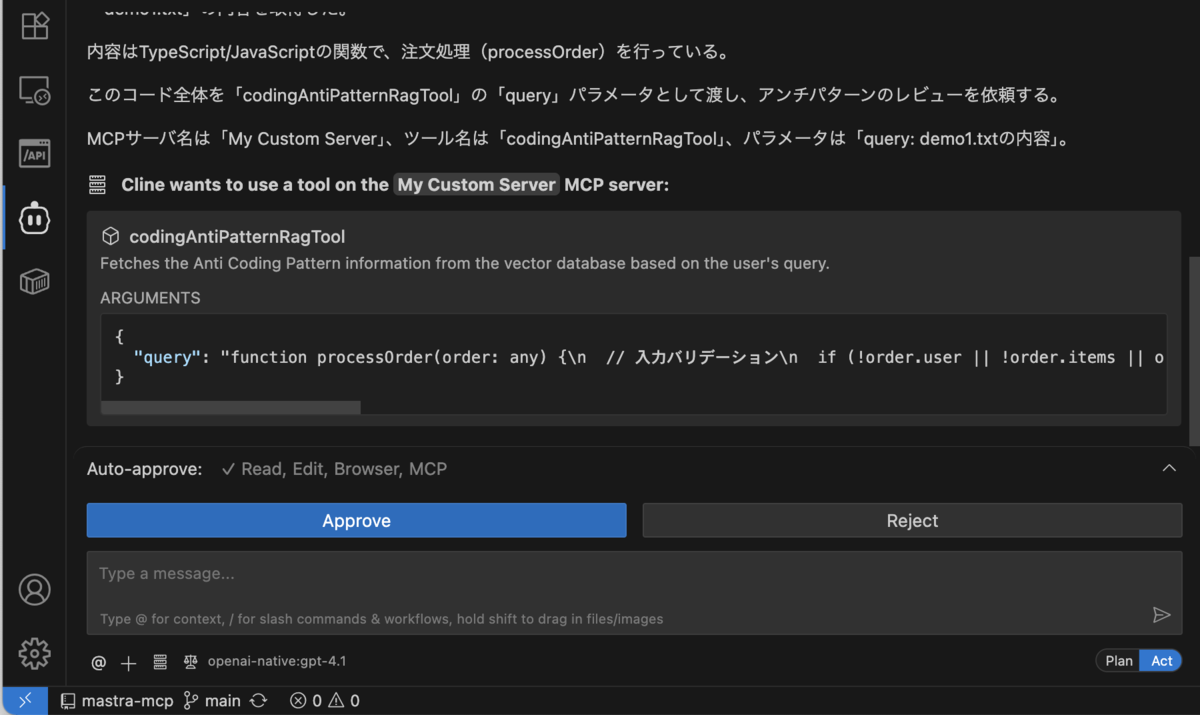
MCPツールを使用していいか聞かれるので許可していきます。
アンチパターンの内容を検知することができました。良さそう